

In short
The machine history brings together in one place everything known about each installed unit: its documentation, its interventions and its operating data. It lets any technician, from the manufacturer or the customer, know within minutes what they are looking at and what has been done to it.
- It avoids searching for manuals, schematics and service reports across folders, emails and personal computers.
- It preserves technicians' knowledge even if they change companies or retire.
- It is the basis for selling inspections, spare parts and modernizations with solid arguments.
In ii40_Connect, each machine's history lives in the same platform as its operating data, so it is largely filled in on its own.
The problem: scattered documentation and knowledge in technicians' heads
Ask a service technician where the electrical schematic of a machine sold twelve years ago is. The answer is usually “somewhere”: a folder on the server, an old email, the laptop of someone who is no longer there.
The same happens with interventions. The report gets filled in, but it is filed by date, not by machine. What is really valuable isn't written down anywhere: why it failed, what was tried before finding the solution, what trick works with that particular unit.
The result is repeated at many manufacturers:
- Every emergency starts by searching for papers instead of diagnosing.
- Two technicians solve the same problem twice, without knowing it.
- When the veteran technician retires, half the history of the installed base leaves with them.
- The customer doesn't know what has been done to their machine either, and distrusts every quote.
What a machine history should contain
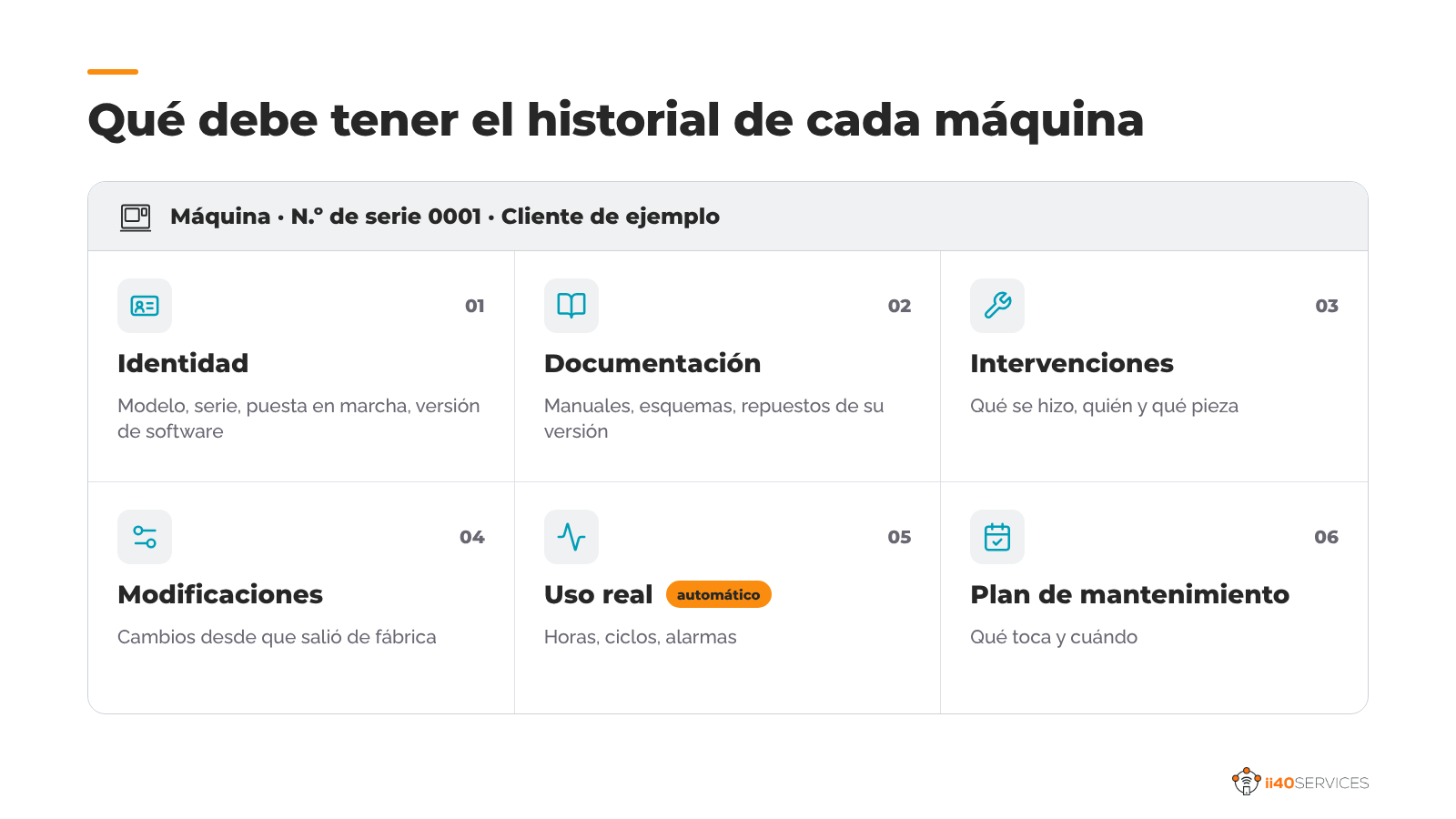
A good history is per specific machine (serial number), not per model. These are the basic blocks:
- Identity: model, serial number, commissioning date, customer, location and PLC software version.
- Technical documentation: manuals, electrical and hydraulic schematics, spare parts lists and certificates. Those for its exact version, not the generic ones for the model.
- Interventions: each visit, repair or inspection, with date, technician, what was done, which part was replaced and why.
- Modifications: configuration changes, software updates or modernizations since it left the factory.
- Actual use: operating hours, cycles, most frequent alarms. This comes in on its own if the machine is connected.
- Maintenance plan: which inspections are due and when, based on actual use and not just on the calendar.
How it is fed: automatic data and the technician's log
A history that has to be maintained by hand ends up outdated within three months. What works is combining two sources:
- What arrives on its own from the machine. If it is connected, hours, cycles, alarms and events are added without anyone doing anything.
- What the technician adds when finished. Two minutes when closing each intervention: what they found, what they did, which part they replaced. Better from the phone and on the same screen where they see the machine's data.
The documentation is loaded once, when the machine is onboarded. In ii40_Connect each machine has its own document repository, so the technician finds the schematic and the alarm in the same place.
To get the technician to fill in their part there is a trick that never fails: make the log useful to them. If the next time they go to that machine they find what their colleague noted down, they will note down their own.
What the manufacturer and the customer gain
The manufacturer:
- Faster diagnoses, because the technician knows what was done before.
- Knowledge that stays in the company, even when people change.
- Arguments for selling: inspections based on actual use, spare parts that are due and modernizations when the machine calls for them.
- Field information to improve the design: what fails, on which machines and under what use.
The customer:
- They know what has been done to their machine and when the next step is due.
- They have the right documentation at hand for their own maintenance team and for audits.
- They trust quotes more, because they see the history that justifies them.
For the manufacturer, the history is also a way to build loyalty: a customer who has the whole life of their machine on your platform thinks twice before calling another service provider.
Frequently asked questions
What is the history of an industrial machine?
It is the digital record of each specific machine: its identity, its technical documentation, the interventions carried out, the modifications and its actual usage data, gathered in one place and accessible to the manufacturer and the customer.
How is it different from a CMMS?
The CMMS is used by the plant to organize its own maintenance across all its equipment. The machine history is maintained by the manufacturer for each unit it has sold, and it can be connected to the customer's CMMS.
Is it the same as the Digital Product Passport?
No. The Digital Product Passport is an EU obligation in preparation for certain product categories, focused on sustainability and traceability information. The machine history is a service tool: it is used to maintain and support each unit throughout its life.
Who keeps it up to date?
Part of it updates itself with the data from the connected machine. The rest is added by the technician when closing each intervention, in a couple of minutes.
Which tool should I use for the history of my machines?
Remote monitoring platforms for manufacturers, such as ii40_Connect, bring together in the same record the machine's data, its documentation and its interventions.
What is ii40_Connect?
ii40_Connect is a remote monitoring and remote service platform for machinery manufacturers, developed by ii40 Services in Donostia-San Sebastián. It connects the machines installed at the manufacturer's customers, collects their operating data and turns it into services: remote support, performance reports (OEE) and the history of each machine.
Where is your machines' history today?
If the answer is “scattered”, tell us how many machines you have in the field and how you currently store documentation and service reports. We will suggest where to start.
Keep reading:
- How to choose a remote monitoring platform for machinery manufacturers, ten criteria for choosing the right platform to service your installed base.
- Remote service for machinery manufacturers: resolve issues without sending a technician, how to resolve issues without sending a technician and which after-sales KPIs prove it.
- OEE at the customer's plant: how to measure it and turn it into a service, how to measure the OEE of your machines at the customer's site and turn it into a service that pays.
Article by the ii40Services team.